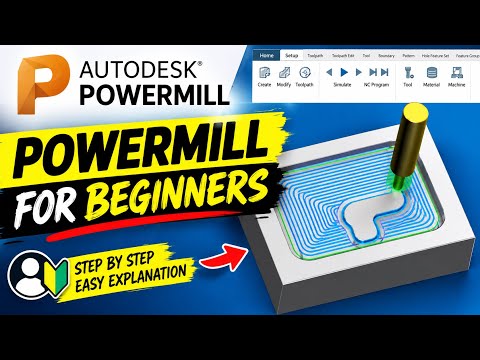
In the fast-paced world of modern manufacturing, precision and speed are critical. Whether you are operating 3-axis mills or complex 5-axis machinery, leveraging top-tier CNC software is the key to maximizing shop floor productivity and reducing cycle times. Among the leading solutions available today, Autodesk PowerMill stands out as an industry heavyweight for high-speed and multi-axis programming.
If you are new to automated toolpath generation, getting started might feel overwhelming. However, mastering the fundamentals of PowerMill can drastically elevate your programming capabilities and streamline your entire machining workflow.
Why PowerMill Matters in Modern Manufacturing
Autodesk PowerMill is engineered specifically for complex components, molds, and dies. Unlike basic CAM packages, advanced CNC software like PowerMill offers specialized toolpath strategies designed to minimize tool wear, enhance surface finishes, and optimize cutting efficiency.
Key advantages include: * High-Speed Machining (HSM): Smooth toolpath transitions maintain high feed rates while protecting your cutting tools. * 5-Axis Capability: Superior control over tool axis orientation allows efficient machining of deep cavities and complex geometries. * Safety & Simulation: Comprehensive stock simulation and collision detection keep your physical setup safe from costly crashes.
Essential Steps for PowerMill Beginners
To generate your first error-free program, follow this straightforward workflow:
- Import Geometry: Load your 3D CAD model (STEP, IGES, or native CAD formats) into the project environment.
- Setup Workplane and Stock: Establish your coordinate system (datum) and define the raw material boundaries (block).
- Define Tooling: Input your cutting tool geometry, holder parameters, feeds, and speeds.
- Apply Toolpath Strategies: Choose the right operation for the job—such as 3D Area Clearance for roughing or Constant Z and Raster for finishing.
- Simulate and Verify: Run a complete virtual machining simulation to check for Gouge/Collision issues before post-processing your NC code.
Take Control of Your Machining Workflow
Transitioning to industry-standard CNC software requires practice, but the payoff in speed, surface quality, and part accuracy is immense. By learning the core features of Autodesk PowerMill, you take a major step toward optimizing your manufacturing operations and advancing your technical skills. Start practicing with basic geometries today to build confidence for complex multi-axis projects tomorrow!


