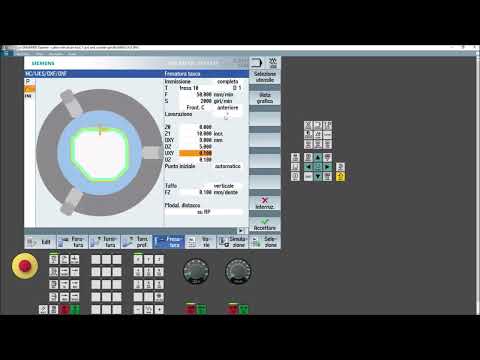
In modern manufacturing, speed and precision are critical. Programming complex profiles manually on a machine control interface can be time-consuming and prone to human error. Fortunately, Siemens SinuTrain ShopTurn makes it simple to convert 2D CAD graphics directly into executable code, optimizing your workflow when operating a CNC lathe.
Why Import DXF Files into Siemens ShopTurn?
Directly importing DXF (Drawing Exchange Format) files eliminates the tedious task of manually entering coordinates for intricate contours. By leveraging ShopTurn’s built-in contour reader, machinists can extract geometric data effortlessly. This capability is a major advantage for both turning and milling operations, allowing shop floors to transition from design to production in a fraction of the time.
Step-by-Step Guide to DXF Import
Setting up your CAD data for machining requires just a few straightforward steps within the Siemens interface:
- Prepare Your CAD File: Clean up your 2D drawing in your CAD software. Remove unnecessary layers, text, dimensions, and hidden lines, leaving only the essential profile geometry.
- Transfer the File: Save your work in DXF format and load it into the Siemens SinuTrain system or control unit via a USB drive or network path.
- Open the DXF Reader: Access the ShopTurn contour programming interface and launch the integrated DXF converter tool.
- Define the Zero Point: Select your work coordinate system (WCS) origin directly on the drawing so that it matches your part setup on the CNC lathe.
- Extract Contours: Click on the geometry elements you want to machine. ShopTurn will automatically connect lines and arcs into a continuous profile.
- Assign Machining Cycles: Apply your desired turning, facing, or milling operations to the extracted contour, specifying feeds, speeds, and cut depths.
Best Practices for Error-Free Programming
To ensure smooth execution, always double-check that your drawing units (millimeters vs. inches) match your SinuTrain environment settings. Make sure that all contour paths are completely closed so the software generates clean, uninterrupted tool movements. Lastly, always run a full 3D simulation to verify your programming and prevent potential crashes before starting the job on your actual CNC lathe.
By integrating DXF file imports into your Siemens ShopTurn workflow, you can drastically reduce programming time, reduce manual data entry errors, and unleash the full potential of your turning center.


