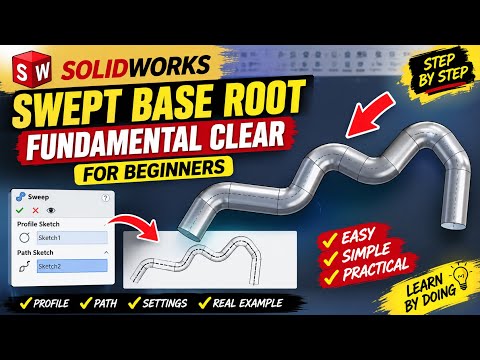
Designing complex 3D models for precision manufacturing often starts in CAD software like SolidWorks. If you are learning computer-aided design to prepare parts for machining, understanding fundamental 3D features is essential. In this practical CNC tutorial guide, we will explore the SolidWorks Swept Base/Boss feature and how it helps you build intricate, smooth geometry ideal for digital fabrication.
What is the SolidWorks Swept Base Tool?
The Swept Base (or Swept Boss) feature allows designers to create 3D solids by driving a 2D profile sketch along a defined guide path. Unlike standard extrusions that only extend linearly, a sweep can follow complex curves, splines, and multi-directional trajectories. Whether you are modeling custom piping, ergonomic handles, or curved structural frames, mastering this tool is a vital step in any foundational CNC tutorial for 3D modeling.
Step-by-Step Guide to Creating Your First Sweep
- Draw the Path Sketch: Begin by sketching a line, arc, or spline on a plane to define the exact path your profile will follow.
- Draw the Profile Sketch: Create the cross-sectional shape (such as a circle, square, or custom contour) on a plane perpendicular to the start of your path.
- Execute the Swept Boss Feature: Open the Swept Base/Boss tool from the Features tab, select your profile and path in the property manager, and generate the 3D solid.
Optimizing CAD Sweeps for CNC Machining
Creating geometry in SolidWorks is only half the process; your model must also be easy to machine. When preparing your digital models as part of a complete CNC tutorial workflow, always consider cutting tool geometry:
- Mind the Tool Radius: Avoid excessively tight interior curves that standard end mills cannot physically reach.
- Maintain Smooth Tangency: Ensure path segments are tangent to prevent sudden directional shifts that could trigger machine chatter or tool wear.
- Check Wall Thickness: Keep structural walls uniform along the sweep to prevent part distortion during machining.
By mastering the SolidWorks Swept Base feature with manufacturing in mind, you can seamlessly bridge the gap between initial digital concepts and physical CNC production. Practice creating different profiles and paths today to elevate your design capabilities!


