CNC Programming Basics: How to Read and Structure G-Code Data
This article provides an in-depth exploration of G-code data, covering foundational concepts, practical applications, and engineering insights.
Starting your journey in CNC machining can feel overwhelming, especially when looking at lines of code that control complex industrial machinery. However, breaking down a program into its basic components makes it surprisingly easy to understand. Whether you are a student, hobbyist, or aspiring machinist, understanding how G-code data is structured is the key to unlocking automated manufacturing.
The Building Blocks of a CNC Program
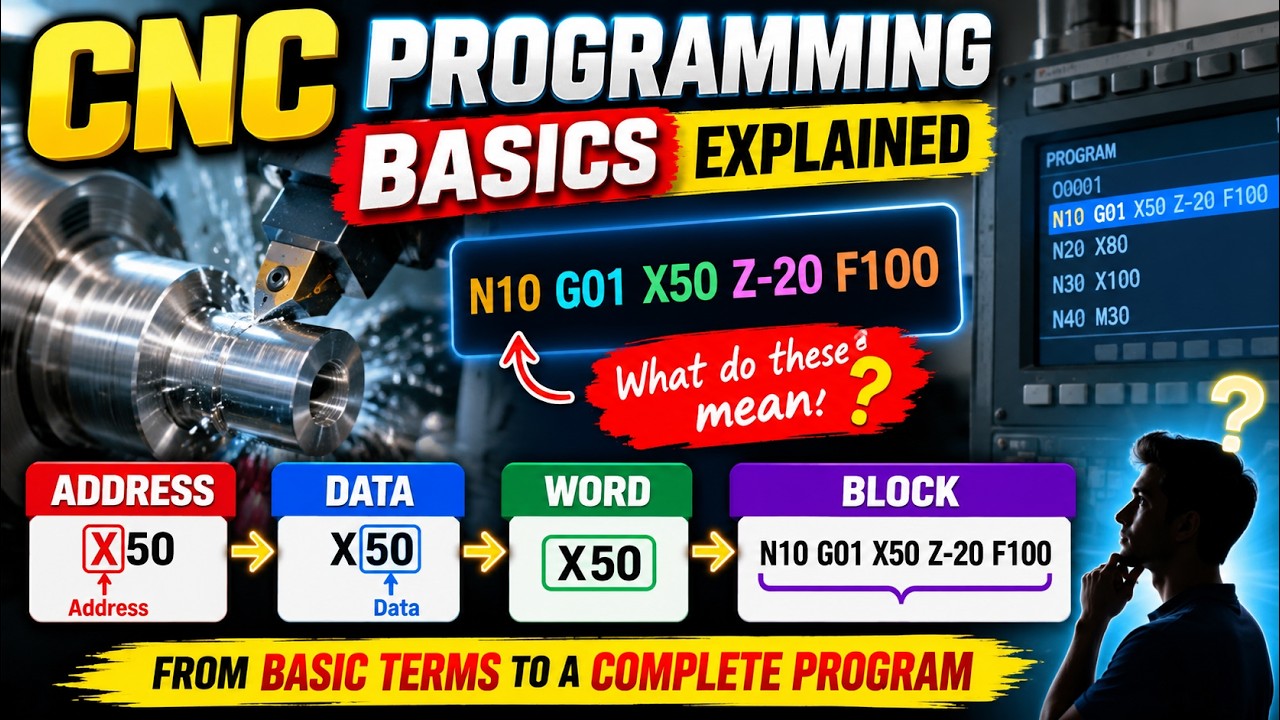
To write or read a CNC program efficiently, you need to understand the hierarchy of its code structure. Every CNC program is composed of four fundamental elements: Addresses, Words, Blocks, and Data.
- Address: An Address is a single letter (such as G, M, X, Y, or Z) that defines the category of the instruction. For example, 'G' represents preparatory functions, while 'X' and 'Y' specify coordinate axes.
- Word: A Word combines an Address letter with a numerical value. For instance,
G01tells the machine to perform a linear motion, andX50.0tells it to move to position 50 on the X-axis. - Block: A Block is a single line of code in a CNC program. Think of a block as a complete sentence that gives a set of specific instructions to the machine tool for a single movement or action.
How G-Code Data Controls Machinery
Modern computer numerical control relies on converting instructions into precise G-code data that the machine controller interprets in real time. This structured information directs tool movements, spindle speeds, coolant toggles, and feed rates with incredible accuracy.
When a CNC controller reads a block, it processes all the G-code data within that line simultaneously. For example, look at the following standard block:
N10 G01 X20.0 Y30.0 F150;
- N10: The block sequence number.
- G01: The preparatory command setting linear interpolation mode.
- X20.0 Y30.0: Coordinate target locations.
- F150: The specified feed rate.
Why Basics Matter for Beginners
Skipping foundational concepts often leads to costly mistakes on the shop floor, such as tool crashes or ruined workpieces. By recognizing how individual words form complete blocks, troubleshooting and editing programs directly at the machine console becomes second nature.
Mastering these basic terms will significantly boost your confidence as a programmer. Once you get comfortable reading individual blocks, you will be well-prepared to tackle complex multi-axis manufacturing projects with ease!


