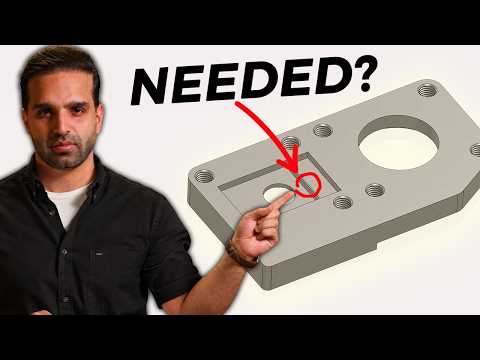
Designing parts for Computer Numerical Control (CNC) machining can be an exciting process, but it often comes with hidden pitfalls. Have you ever submitted a CAD model only to hear a machinist ask, "Would you actually machine this?" To prevent costly revisions and production delays, mastering the fundamental CNC principle of Design for Manufacturing (DFM) is essential.
DFM isn't just an industry buzzword; it is the practice of designing parts so they are efficient, economical, and realistic to produce on the shop floor. Let's explore common CNC design mistakes and how applying practical manufacturing rules can transform your CAD workflow.
Common CNC Design Mistakes to Avoid
Engineers and designers frequently fall into design traps that make parts unnecessarily difficult—or even impossible—to machine. Some of the most frequent mistakes include:
- Sharp Internal Corners: Standard CNC cutting tools are cylindrical, meaning they leave a radius. Designing sharp $90^\circ$ inside vertical corners requires specialized, expensive processes.
- Deep, Narrow Pockets: Long, slender end mills tend to deflect and vibrate, which leads to poor surface finishes or tool breakage. Keep pocket depth-to-width ratios reasonable.
- Overly Tight Tolerances: Applying strict tolerances to non-critical features dramatically increases machining time, inspection effort, and overall cost.
Applying the Core CNC Principle to Your Workflow
To ensure your designs transition smoothly from digital models to physical parts, you should incorporate a simple CNC principle: always design with tool geometry and accessibility in mind.
First, consider how the cutting tool approaches the workpiece. CNC machines operate along specific axes, so the spindle must be able to reach every undercut or feature without colliding with the part. Second, standardize your radii and feature sizes. Using standard tool diameters reduces tool changes and optimizes cutting paths. By respecting this essential CNC principle, you reduce machining stress, prevent tool failure, and keep your production timeline on track.
Bridge the Gap Between Design and Production
Aligning your initial CAD models with real-world machining constraints bridges the gap between engineering vision and manufacturing reality. Avoiding basic DFM blunders keeps your project on budget, improves part quality, and ensures a seamless experience with your machinist. Before sending your next model to production, evaluate your features through a practical manufacturing lens to guarantee success every time.


