Mastering Machine Protection: Why You Need to Use Your CNC Monitor Load Settings
This article provides an in-depth exploration of CNC monitor, covering foundational concepts, practical applications, and engineering insights.
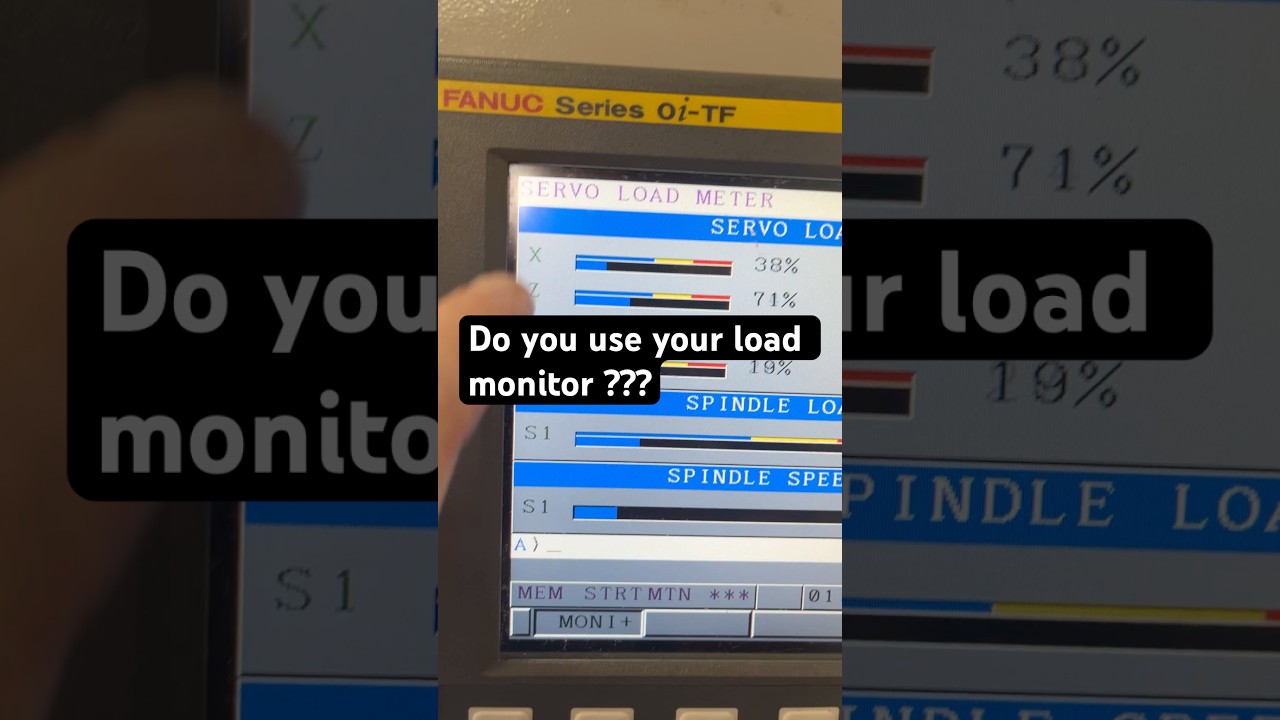
In the fast-paced world of precision manufacturing, efficiency and machine protection are paramount. Yet, many operators overlook one of the most powerful built-in features on modern machine tools: load monitoring. If you operate a lathe or milling center, you have likely seen the spindle and axis load meters on your control panel, but are you actively utilizing them? Understanding how to set up and read your CNC monitor load controls can make the difference between a smooth production run and a costly machine crash.
What is Load Monitoring in CNC Machining?
Load monitoring tracks the real-time force or electrical current draw required by the spindle or axis motors during a cutting operation. As a drill dulls or a turning insert wears down, cutting resistance increases, causing the motor to work harder. A properly configured CNC monitor displays these load fluctuations instantly, giving operators and automated control systems critical insight into tool health and overall cutting conditions.
Key Advantages of Utilizing Load Limits
Ignoring load monitors means missing out on several key operational advantages that directly impact your shop's bottom line:
- Prevent Catastrophic Tool Failure: By setting upper load thresholds, the machine control can automatically pause execution or retract the tool before severe binding or total tool breakage occurs.
- Optimize Tool Life: Tracking load spikes helps you identify worn tools before they fracture inside a workpiece, saving expensive raw materials and dramatically reducing scrap rates.
- Enable Reliable Lights-Out Machining: Effective load monitoring provides the safety net required for automated or unattended production runs, ensuring the system stops safely if an anomaly occurs.
How to Get Started
To begin utilizing this feature, establish a baseline reading during a fresh setup with sharp tooling. Note the normal load percentage during heavy cuts, such as deep drilling or rough turning. Next, configure your machine controller’s warning and alarm limits slightly above this baseline threshold.
Taking just a few minutes to configure your CNC monitor load parameters safeguards your equipment, reduces unplanned downtime, and ensures consistent part quality. Don't leave your machinery's safety to chance—start leveraging your load monitor today!
Visual Insights & Illustrations


