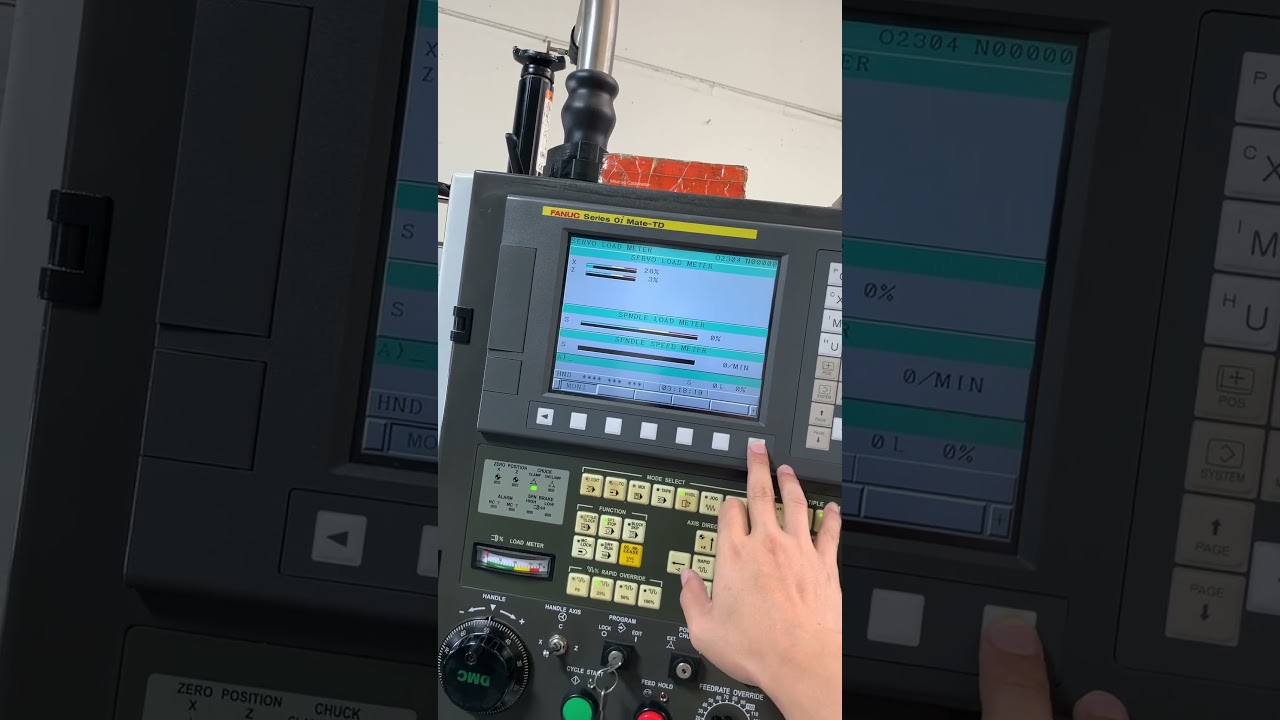
How to Check Spindle Load Parameters on Your Fanuc 0i CNC Monitor
This article provides an in-depth exploration of CNC monitor, covering foundational concepts, practical applications, and engineering insights.
Maintaining optimal performance in modern precision machining requires keeping a close eye on your equipment's critical parameters. Among these metrics, spindle load is one of the most vital indicators of cutting health. On Fanuc 0i control systems, regularly inspecting spindle load parameters helps prevent tool breakage, minimizes machine wear, and guarantees consistent surface finishes.
Why Monitoring Spindle Load is Essential
The spindle load value reflects how much power or torque the spindle motor exerts during cutting operations. A sudden increase in load typically indicates tool wear, excessive feed rates, or an improper depth of cut. By utilizing your display screen as an active CNC monitor, operators can identify operational red flags long before they lead to broken inserts, damaged workpieces, or costly machine downtime.
Step-by-Step Guide to Inspecting Load Parameters on Fanuc 0i
Checking spindle load values on a Fanuc 0i controller is a quick and simple process once you know which menus to navigate:
- Access the Control Screen: Press the [POS] (Position) key or [SYSTEM] key located on your main Fanuc operator panel.
- Navigate to Load Display: Use the softkeys beneath the screen to select [MONITOR] or navigate to the [LOAD METER] page by using the expansion arrow softkeys.
- Analyze the Real-Time Data: The screen displays visual bar graphs and numerical percentage readings for both the spindle motor and individual servo axis loads.
- Evaluate During Operation: Run your program and closely observe the dynamic load readings on your CNC monitor during heavy roughing cuts or deep pocketing passes.
Best Practices for Spindle Health and Safety
- Understand Operating Zones: Continuous cutting operations should generally remain under 100% continuous rated load. Short, transient spikes during initial material engagement are acceptable, but continuous operation in the upper threshold will trigger an thermal overload alarm.
- Track Baseline Load for Tool Wear: Record baseline load percentages when running fresh cutting tools. As the cutting edge wears down over time, the load percentage displayed on the control screen will steadily rise, signaling that it is time for a tool change.
Conclusion
Mastering load parameter checks on your CNC monitor is a fundamental skill for every machinist and setup engineer. Taking a few seconds to verify your Fanuc 0i spindle load parameters ensures safer operations, prolongs spindle motor life, and keeps your production runs smooth and profitable.
Visual Insights & Illustrations


