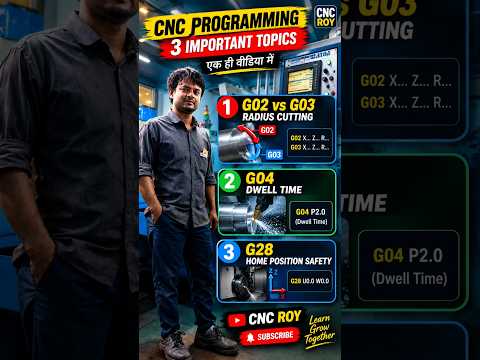
Mastering CNC programming is essential for anyone looking to excel in modern manufacturing and precision machining. Whether you are a beginner taking your first steps or a machine operator aiming to refine your skills, understanding fundamental G-codes is crucial. In this practical CNC tutorial, we break down four vital G-codes that every machinist must master: G02, G03, G04, and G28.
Circular Interpolation: G02 vs. G03 Explained
One of the most common challenges in CNC programming is cutting smooth arcs and precise radii. This is where circular interpolation commands come into play:
- G02 (Clockwise Circular Interpolation): Used when the cutting tool needs to travel along a circular arc in a clockwise direction.
- G03 (Counter-Clockwise Circular Interpolation): Used when the tool needs to travel along an arc in a counter-clockwise direction.
Knowing when to apply G02 versus G03 ensures accurate arc machining and flawless radius profiles, helping you avoid costly tooling errors and material waste.
Controlling Machine Pauses with G04 (Dwell Time)
The G04 code represents "Dwell Time" in CNC programming. When a G04 command is executed, it instructs the machine axis movement to temporarily pause for a specified duration while keeping the spindle spinning at its programmed speed.
This command is particularly useful for chip breaking, achieving fine surface finishes at the bottom of a groove, and ensuring precise hole depths during drilling operations.
Safely Returning to Home Position with G28
Safety and repeatability go hand-in-hand in automated machining. The G28 code commands the CNC machine to automatically return to its machine zero or reference point. Integrating G28 at the end of a machining cycle or right before a tool change prevents tool collisions, maintains exact tool offsets, and keeps your operational environment safe.
Conclusion
Understanding how G02, G03, G04, and G28 operate gives you greater control over your machining processes, leading to cleaner cuts, safer tool paths, and higher efficiency. Keep this CNC tutorial saved as a helpful reference guide for your daily programming tasks as you build your expertise in the field.


