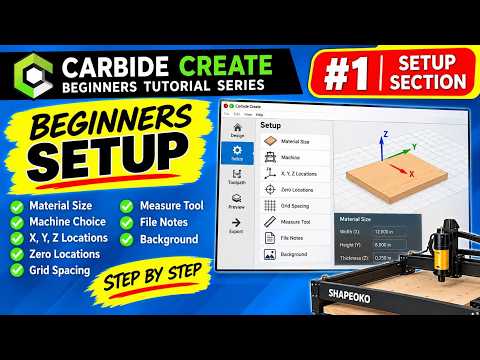
Are you ready to jump into the exciting world of CNC machining, but feeling overwhelmed by the technical configuration? Starting your first project doesn't have to be intimidating. Carbide Create is widely recognized as one of the most accessible CNC software programs available today, making it a top choice for makers, woodworkers, and hobbyists alike.
In this beginner-friendly guide, we break down the fundamental first step of any design: mastering the Job Setup Panel. Getting these initial settings right is critical to ensuring your digital design translates perfectly to your physical CNC machine.
Understanding the Carbide Create Job Setup Panel
When you open Carbide Create, the Setup Panel is where every successful project begins. Think of this screen as defining the exact physical stock material you will place on your machine's bed.
Here are the core elements you need to configure before drawing your first line:
- Stock Dimensions: Input the precise width (X-axis), length (Y-axis), and thickness (Z-axis) of your workpiece. Accurate measurements prevent cutting errors and wasted material.
- Material Selection: Select your specific material type (such as hardwood, softwood, aluminum, or acrylic). This helps the application recommend safe speeds and feeds later on.
- Z-Zero Location: Choose whether your Z-zero baseline sits on the Top of your material or the Bottom (spindle bed). For most standard woodworking projects, setting Z-zero to the top is recommended.
- Job Origin (X/Y Zero): Select where your cutting tool will start relative to the stock—typically the lower-left corner or the center of the material.
- Measurement Units: Toggle between Inches and Millimeters based on your project preferences.
Why Proper Setup is Essential for Success
Configuring your CNC software correctly at the start saves you time, money, and unnecessary frustration. Miscalculating stock thickness or setting the wrong origin point can lead to snapped end mills, incorrect cut depths, or accidental damage to your spoilboard. Taking just two minutes to double-check your Setup Panel guarantees a safer and smoother carving process.
Take the Next Step in Your CNC Journey
Whether you are crafting custom wooden signs or prototyping precision parts, becoming comfortable with your CNC software is the best investment you can make in your workshop. Once your job setup is accurately configured, you are ready to jump into drawing vectors and generating toolpaths with total confidence.


