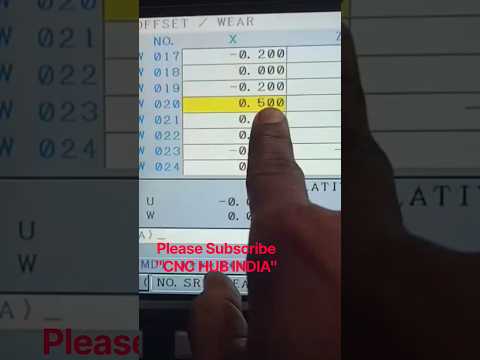
Precision is the backbone of modern manufacturing. When working with CNC (Computer Numerical Control) and VMC (Vertical Machining Center) equipment, maintaining exact dimensional tolerances is critical. Whether you are a beginner machinist or an experienced operator seeking to expand your CNC education, learning how to set tool wear offset limits is a fundamental skill that prevents costly errors and severe machine crashes.
What is a Wear Offset Limit?
In CNC machining, cutting tools gradually wear down during production. To compensate for this wear, operators periodically adjust tool wear offset values in the machine controller. However, manual data entry carries inherent risks. An operator might accidentally input a value like 1.0 mm instead of 0.01 mm. A wear offset limit establishes a maximum allowable entry threshold in the control system, acting as an automatic safety lock against typos.
Why Setting Wear Offset Limits is Essential
Without a defined offset limit, a single incorrect entry can cause heavy tool breakage, ruined workpieces, or devastating spindle damage. This is precisely why high-quality CNC education places a strong emphasis on parameter safeguards. By setting a realistic maximum offset threshold—such as limiting wear adjustments to 0.5 mm—the machine will instantly generate an alarm if an operator attempts to enter a value beyond that limit.
Key Steps to Set Tool Wear Offset Limits
While exact menu navigation varies depending on your controller brand (such as Fanuc, Haas, or Siemens), the basic procedure involves modifying specific system parameters:
- Enable Parameter Editing: Switch your machine mode to MDI (Manual Data Input) and enable parameter write settings.
- Locate the Wear Limit Parameter: Access your system parameters and navigate to the wear offset restriction setting (for instance, Parameter 5013 on many Fanuc controls).
- Input the Safety Threshold: Enter your desired maximum offset value, such as
0.500 mmor0.020 inches, based on your shop's safety standards. - Save and Lock: Disable parameter writing to lock your settings and prevent unauthorized modifications.
Elevate Machining Safety Today
Preventing human error through proactive controller settings is one of the easiest ways to protect your shop floor. Continuing your CNC education with practical parameter management empowers you to maintain high precision, reduce scrap rates, and safeguard expensive machinery. Take a moment today to audit your CNC machine settings and implement wear offset limits for safer, more reliable operations.


